
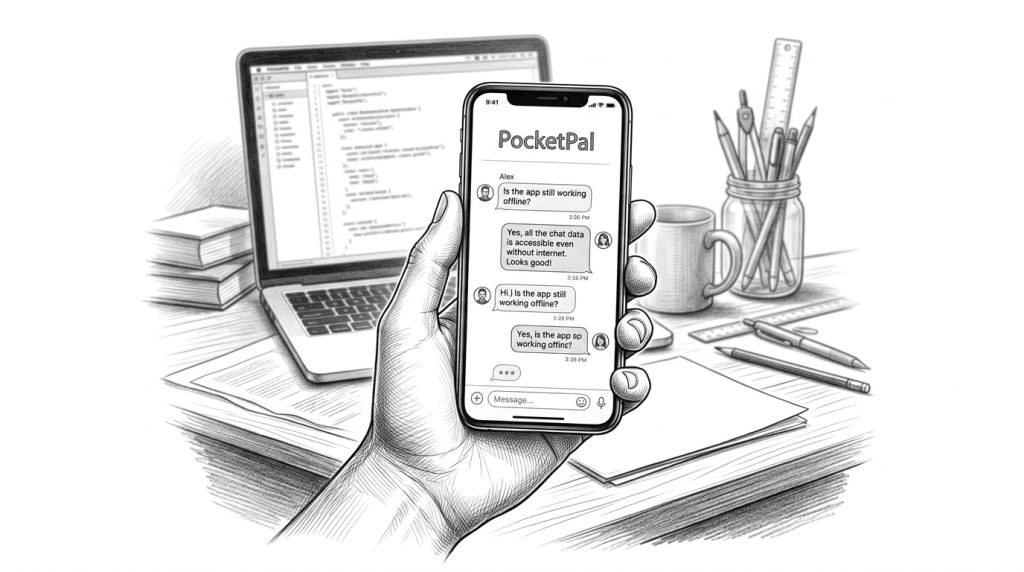
PocketPal is a free, open-source AI app that runs entirely on your iPhone or Android — no internet connection, no account, and nothing leaving your phone. I’ve been keeping an eye on offline AI tools for a while now, and this one is worth knowing about. If you work in spotty-signal areas, handle anything sensitive, or just don’t want to pay a monthly subscription, PocketPal is worth a look. Here’s what it does, where it fits, and who it’s actually useful for.
What PocketPal Is and How It Works

PocketPal downloads small AI language models to your phone — the same category of technology powering tools like ChatGPT — and runs them right there on your device. Your phone does all the processing. Nothing gets sent to a server. No Wi-Fi or cell signal needed once the model is downloaded.
The app is free on both iPhone and Android. It was developed by a team at Meta along with open-source contributors. There’s no subscription, no in-app purchase, and no account required to use it.
The models it runs are smaller than what cloud services like ChatGPT use — that’s just the reality of what a phone can handle. But for everyday tasks, they’re more capable than most people expect.
Why Running AI Offline Actually Matters

Most AI tools work the same way: you type a question, it travels to a remote server somewhere, gets processed, and an answer comes back. That works fine when you’ve got a solid connection and you’re okay with your questions being handled on someone else’s computers. PocketPal is built around the opposite idea.
Three things change when the AI lives on your phone. First, it works anywhere — on a plane, out in a rural area, in a building with no signal. Second, your prompts never leave your device. That’s a real privacy difference if you’re drafting sensitive business notes, personnel stuff, or anything you’d rather keep off a third-party server. Third, once the model’s downloaded, it costs nothing to run.
Whether privacy or offline access is the bigger draw for you depends on how you work. Both are solid reasons to have it on your phone.
What PocketPal Is Actually Good At
On-device AI has real strengths — and real limits. Here’s an honest look at where PocketPal does well:
- Short-form writing tasks. Drafting an email, cleaning up a rough message, rewriting a paragraph — smaller models handle these well. If you need a quick writing partner without opening a laptop, this is practical.
- Brainstorming and thinking things through. Generating a list of ideas, talking through a decision, getting a plain-English explanation of something — PocketPal works well as a quiet thinking tool.
- Offline productivity. Language practice, journaling prompts, note drafting, working through a problem when you have no signal — the use cases here are personal and varied.
What it won’t do: pull live information from the web, check current news or prices, or match a large cloud model on complex, multi-step reasoning. Think of it less like a search engine and more like a smart notepad that can think alongside you.
Honest Limitations to Know Before You Download
None of these are dealbreakers, but you’ll want to know them upfront.
- It’s not as sharp as cloud AI on complex tasks. Smaller models on phone hardware produce simpler responses than ChatGPT or Claude. The gap is much smaller on straightforward tasks.
- It takes up storage space. Depending on the model you download, plan for one to four gigabytes. Check your available space before installing.
- No live information. The model’s knowledge has a cutoff date. Anything time-sensitive — recent news, current prices, live data — is outside what it can tell you.
- Speed depends on your device. Newer phones with more RAM run models faster. Older devices may be slower, especially with larger models.
If you’re curious whether an offline AI tool could fit into how you work, PocketPal costs nothing to try. Search “PocketPal AI” in the App Store or Google Play.
Where PocketPal Fits in the Bigger AI Picture
A year ago, “AI on your phone” basically meant a cloud app with a monthly fee. The fact that a free, offline, open-source option now exists — and is genuinely useful — is a fast change worth paying attention to.
What I’ve noticed lately is that the question for most small business owners has shifted. It’s no longer “should I use AI at all?” It’s “which AI tools actually match how I work?” “Locally on my phone, privately, for free” is now a real answer to that question. It wasn’t eighteen months ago.
What I’m watching is how quickly the gap between on-device and cloud AI quality keeps closing. It’s been closing faster than most people expected. If that continues, the locally-on-your-phone option becomes the obvious default for a lot of everyday tasks — and the pressure on $20-a-month subscriptions to justify their cost grows.
Frequently Asked Questions About PocketPal
Is PocketPal really free?
Yes. The app is free and open-source. The AI models inside it are also free. No subscription, no in-app purchase — you just download it and use it.
Is PocketPal safe for private or sensitive information?
Because everything runs on your device and nothing is transmitted over the internet, PocketPal is significantly more private than cloud-based AI tools. Your prompts don’t leave your phone. That said, your device still needs to be secure — this doesn’t replace good phone hygiene. But the fact that there’s no server handling your data is a real and meaningful difference for sensitive use cases.
How does PocketPal compare to ChatGPT?
ChatGPT runs much larger models on powerful remote servers, which makes it stronger on complex, multi-step tasks. PocketPal trades some of that capability for privacy, zero ongoing cost, and offline access. On simpler tasks — drafting, brainstorming, quick explanations — the gap between them is smaller than most people expect.
Which phones support PocketPal?
PocketPal is available for iPhone (App Store) and Android (Google Play). Newer devices with more RAM run it faster and more reliably. Older devices may be slower or struggle with the larger model options.
Where can I download PocketPal?
Search “PocketPal AI” in the App Store for iPhone or Google Play for Android. It’s free to download and developed by a team at Meta along with open-source contributors.
Can PocketPal access the internet or look up current information?
No. PocketPal is entirely offline. It can’t access the web, retrieve current news, or look up live data. It works from what it was trained on, which has a fixed knowledge cutoff date. For anything time-sensitive, a connected tool is still the right call.
Worth a Download — Here’s Why
PocketPal costs nothing and takes about ten minutes to install and try. If you work in areas with unreliable signal, handle information you’d rather keep private, or just want a capable AI tool without a subscription, it’s a reasonable addition to your phone.
It won’t replace a cloud-based tool for every task. But as on-device models keep improving, the number of tasks where local is good enough — or simply better for your situation — is growing. That’s the trend I’m watching, and PocketPal is a clean, free way to see where it stands right now.